
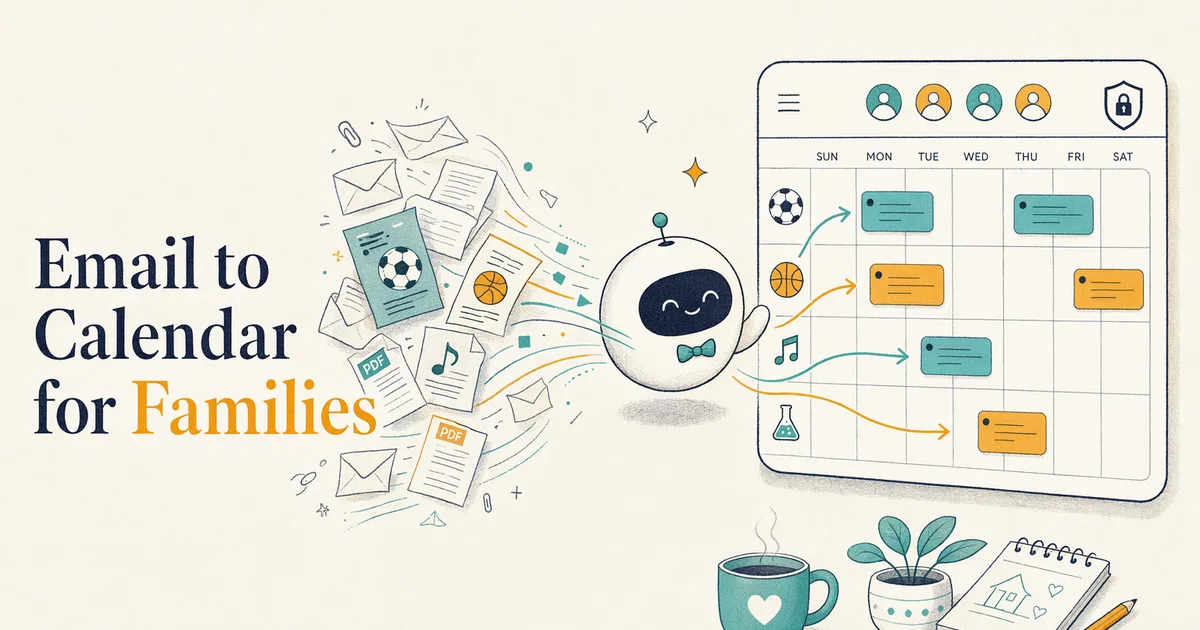
Best Email-to-Calendar Apps for Families (2026)
Drowning in school and sports emails? The best email-to-calendar apps for families in 2026, honestly ranked by how each turns emails into shared events.
If you're the parent who reads every school email, you already know the truth: the calendar isn't the problem. The inbox is. Picture day, the field trip form, the away-game address, the "reminder from the PTA" — they arrive as email, and email is where they quietly die. An email-to-calendar app's whole job is to catch them before they do.
Most "email to calendar" tools are built for work — meeting invites, booking confirmations, a busy professional's inbox. But a family's firehose is different: it's flyers as PDFs, half-written newsletters, and dates buried in the fourth paragraph, and the event needs to land where a spouse and kids can see it too. Below are the best apps for turning family email into calendar events in 2026, sorted honestly by what each one is actually best at.
First: how email-to-calendar actually works
There are two mechanisms, and knowing the difference tells you most of what you need to know about an app.
- Forward-to-an-address. The app gives you a private email address. You forward (or auto-forward) a message to it, an AI reads the message, and it creates the event. This is deliberate — you decide what gets processed — and it works from any inbox: Gmail, Outlook, Apple Mail. Nori and Kinmory both work this way.
- AI inbox scan. You connect your inbox and the app watches incoming mail, pulling out anything that looks like an event. It's more automatic, but you're granting read access to your whole inbox, and it can over- or under-trigger. Maple's email importing works this way; so does Gmail's built-in event detection.
For families, forward-to-an-address usually wins on trust and control: you're only ever forwarding the school email, not handing over your entire inbox. The magic isn't just parsing the date — it's where the event lands. A work tool drops it on your calendar. A family tool drops it on the shared one, so the other parent sees the early dismissal too.
The best email-to-calendar apps for families (2026)
| App | How it ingests email | Family features | Price |
|---|---|---|---|
| Kinmory | Forward-to-address; AI extracts the event (and can log the bill) onto the shared calendar | Full family butler: shared calendar, chores, meal planning, morning briefing | Free (1 member, no AI) · Plus $6.99/mo · Group $16.99/mo |
| Nori | Forward-to-address; AI parses to a shared family calendar | Shared family calendar; voice/photo/email capture | Free core + pay-as-you-go AI |
| Maple | Connect inbox; AI sorts mail into events & to-dos | Family OS: calendar, meals, lists, family email address | Free · Maple+ $5/mo ($40/yr) |
| Smart Calendars AI | Forward or paste; AI converts email/text/photo to an event | None — personal converter, no shared family layer | Paid (Apple ecosystem) [VERIFY: price] |
| Google Calendar | Auto-adds some events from Gmail (bookings, flights) | Shared calendars if the whole family is on Google | Free |
| Carly AI | Forward-to-address / Gmail & Outlook workflows | Work-scheduling focus, not family-shared | [VERIFY: current pricing] |
Disclosure: Kinmory is our own app, so we're one of the options below. We've kept the picks honest and pointed you to the competitor or free tool wherever it fits your situation better than we do. Prices checked July 2026; they change often, so confirm the current rate before you subscribe.
1. Kinmory — best if the email is one problem in a bigger mental load
Here's the honest pitch: if all you want is a bare email-to-event converter, Kinmory is more than you need. What it's built for is the parent carrying the whole load. You forward the school email to your family's Kinmory address; its AI reads it, drops the field trip on the shared calendar and dashboard, and can log the associated bill so it doesn't get lost either.
The email parsing lives inside a proactive family butler. The same system assigns and tracks chores (kids earn points), plans the week's meals and builds the grocery list, and gives you a spoken morning briefing of what actually matters today. The email features run in the companion app. And it needs no hardware — it runs on your phone and on any tablet or screen you already own, so you can put the family calendar on the kitchen wall without buying a dedicated display.
- Forwarded email lands on the shared family calendar, not just yours
- Part of a proactive butler: chores, meals, morning briefing
- No hardware; works on devices you own
- Overkill if you only want a plain email converter
- AI email parsing needs a paid plan (free tier is 1 member, no AI)
Who should skip it: if you want a single-purpose converter and nothing else, Smart Calendars AI is leaner. More on how an AI family calendar cuts the mental load.
2. Nori — best pure forward-to-calendar for a family (our closest competitor)
We'll be fair: Nori is the app most directly in Kinmory's lane. You get a private forward address, send the school email to it, and Nori's AI parses the event straight onto a shared family calendar so both parents see it. It also does voice and photo capture. Its core is free, with AI billed by usage after a handful of free interactions. If forward-to-calendar for a family is the one thing you want, Nori does it cleanly — compare its proactive extras (meal planning, morning briefing, wall display) against a full butler before you decide.
- Clean forward-to-address workflow, family-shared
- Free core; voice and photo capture too
- Usage-based AI pricing can be harder to predict
- Fewer proactive/household-run features than a full butler
3. Maple — best generous free "family OS" with email built in
Maple is closer to a full family operating system than a converter: a shared calendar, meal planner, lists, project folders, and a free family email address, with AI that sorts incoming mail into events and to-dos. Its free tier is genuinely generous. The catch for email specifically: connecting an external inbox and using AI to import from it is a Maple+ feature, and it works by scanning a connected inbox rather than forwarding, so you're granting broader read access. If you want breadth on a small budget and don't mind inbox connection, Maple is a strong pick.
- Very generous free tier; broad family toolkit
- Email, calendar, meals, and lists in one place
- Email importing is inbox-scan and needs the paid tier
- Less butler-style proactivity (no spoken briefing)
4. Smart Calendars AI — best leanest single-purpose converter
Smart Calendars AI does one job and does it well: it turns an email, a screenshot, a photo, a PDF, or pasted text into a calendar event, and pushes it to Apple Calendar, Google Calendar, or Outlook. It reads dates from ordinary emails, not just structured booking confirmations. There's no family layer — no shared household calendar, no chores, no "remind the right parent" — so it's a personal tool. If you're the only one who needs to see the event and you just want the fastest email-to-event path, this is the tightest option.
- Fast, flexible converter (email, photo, PDF, text)
- Feeds into the calendar you already use
- No shared family features at all
- Events land on one person's calendar
5. Google Calendar — best free baseline if you're all-Google
If your family already lives in Gmail, Google Calendar auto-adds some events from your inbox — flights, hotels, restaurant reservations, ticketed events — and a shared, color-coded calendar costs nothing. The limits are real: it catches structured confirmations, not a rambling school newsletter, and there's no forwarding address for a human to nudge it. It's the honest free floor every paid tool has to beat.
- Free, universal, syncs with everything
- Zero setup if you're already on Google
- Only auto-detects structured emails, not flyers
- No forward-to-parse and no family logic
6. Carly AI — best if the email is work, not family
Carly AI shows up all over the "email to calendar" search results, and it's a capable tool — but its center of gravity is work scheduling: converting meeting invites and turning inbox messages into events in Outlook and Gmail. There's no shared family calendar and no household layer. If your pain is a professional inbox rather than a school one, it belongs on your list; for the sports-email firehose, a family-first tool fits better.
- Solid Gmail/Outlook email-to-event workflows
- Good documentation for professional use
- Built for work, not family sharing
- No chores, meals, or shared household calendar
Who should pick which (a 30-second decision)
- The school/sports email is one part of a bigger mental load → Kinmory (butler) or Nori (capture-first).
- You want the cleanest forward-to-family-calendar and nothing extra → Nori.
- You want a broad free family toolkit and don't mind connecting your inbox → Maple.
- You only need events on your own calendar, fast → Smart Calendars AI.
- You're all-Google and only need structured confirmations → Google Calendar.
- The inbox is a work inbox → Carly AI.
Rule of thumb: if the event only needs to reach you, buy a converter. If it needs to reach the right parent and the whole household, buy a family-shared system. See our full roundup of the best family calendar apps for 2026.
Is it private? What happens to a forwarded email
Fair question — you're sending school and family emails to an app. Here is how Kinmory handles it, plainly:
- Your email is used only to pull out the event — not kept long-term or read by hand. When you forward a message, its text is passed to Google's Gemini AI to extract just the event details — what, when, where — which are written to your family calendar; the original message isn't retained long-term or reviewed by a person.
- Your email isn't used to train AI models. Google's terms for its paid Gemini API state that customer prompts and responses are not used to train or improve Google's models — it's handled under Google's enterprise data terms, not the free consumer tier that can learn from what you submit.
- You only ever forward what you choose. Unlike inbox-scan tools that read your entire mailbox, a forward-to-address app only sees the specific messages you send it.
That training point isn't our characterization — it's Google's own. From Google's official Gemini API Additional Terms of Service (paid services, under "How Google Uses Your Data"), effective March 23, 2026:
“Google doesn’t use your prompts (including associated system instructions, cached content, and files such as images, videos, or documents) or responses to improve our products.”
— Google, Gemini API Additional Terms of Service (official Google documentation), effective March 23, 2026
Extra peace of mind: if you'd still rather keep AI away from your personal inbox, set up a dedicated email address just for school, sports, and activity emails, and forward (or auto-forward) only those to Kinmory. Your private mail never touches it.
Frequently asked questions
How do I turn an email into a calendar event automatically?
Two ways. With a forward-to-address app like Nori or Kinmory, you forward the email to a private address and its AI creates the event — you can even set up auto-forwarding rules so school emails go there by themselves. With an inbox-scan app like Maple, or Gmail's built-in detection, you connect your inbox and the app pulls out events on its own. Forwarding gives you more control; scanning is more hands-off but needs broader access.
What is the best email-to-calendar app for parents?
For families, the best tools put the event on a shared calendar, not just your own. Kinmory and Nori both do this from a forwarded email. Kinmory goes further by living inside a proactive family butler that also handles chores, meals, and a morning briefing, so the school email is one of many things it lifts off your plate. Nori is the leaner, capture-first option.
Can Google Calendar create events from emails?
Partly. Google Calendar auto-adds structured confirmation emails from Gmail — flights, hotels, reservations, tickets — but it won't reliably pull a date out of a school newsletter or a PDF flyer, and there's no forwarding address you can send things to. For messy family email, a dedicated email-to-calendar app catches far more.
Is forwarding email to a calendar safe?
Forward-to-address apps only ever see the specific messages you send them, which is why many families prefer them over inbox-scan tools that read your entire mailbox. Either way, check the app's privacy policy and use a reputable service. If you're cautious, forwarding gives you the tightest control over what gets read.
Does Kinmory read or store my emails?
A forwarded email is used only to extract the event details — the original message isn't retained long-term or read by a person. Its text is passed to Google's Gemini AI to pull out what, when, and where, and Google's terms for its paid Gemini API state that customer data is not used to train its models. You only ever forward the specific emails you choose — and for extra privacy you can use a dedicated email address just for school and activity emails.
Do I need special hardware for a family email-to-calendar setup?
No. Apps like Kinmory run on a phone and on any tablet or screen you already own, so you can forward school emails from your phone and see the whole family's calendar on the kitchen wall without buying a dedicated display.
Related reading
- 7 Best Cozi Alternatives for Families (2026)
Cozi capped free calendars at 30 days. Here are 7 honest Cozi alternatives for 2026, sorted by need: cheapest, free, AI-proactive, and wall display.
- How to Make a Digital Family Calendar (2026 Guide)
How to make a digital family calendar in 2026: a free shared calendar, an always-on wall display on a tablet you own, then a proactive AI butler.
- Best Skylight Calendar Alternatives (2026): No Hardware
Skylight costs ~$300 hardware plus $79/yr. See the best alternatives for 2026 — no-hardware software on a screen you own, and cheaper dedicated displays.
- ADHD Calendar Apps for Parents: 7 Best in 2026
The best ADHD calendar apps for parents in 2026, honestly compared — which reduce executive-function load and run the whole family, not just tasks.
Ready to take your family somewhere extraordinary?
Download Kinmory, open your family album, and ask Kini to take you somewhere you've never been. More is a good place to start.

Scan to Download
Point your camera here
kinmory.ai/download/kinmory